Roomvo PRO for Sales Associates
Resource Center
Streamline your showroom leads & sales
Welcome to your Roomvo PRO for Sales Associates resource hub. Here, we've curated a list of invaluable resources to empower you on your journey to becoming a PRO for Sales Associates power user. Discover training resources, how-to guides, answers to frequently asked questions, video tutorials, and more. We're here to guide you every step of the way.
Need help getting set-up or have questions?
Why should I use it?
Roomvo PRO for Sales Associates (RSAs) is the one solution you need to engage customers and manage leads, sales and samples in the showroom. Download the convenient app for your mobile device or access Roomvo PRO from your computer.
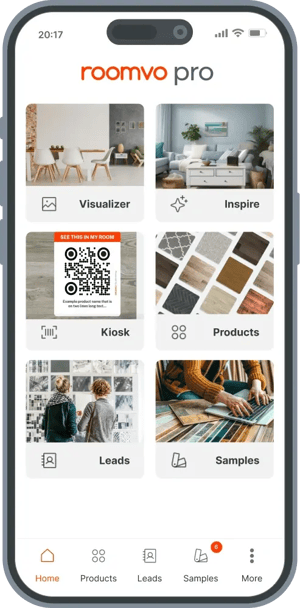
Never lose a sample. Never lose a sale.
Streamline your showroom sample and sales process:
Better engage customers in your showrooms
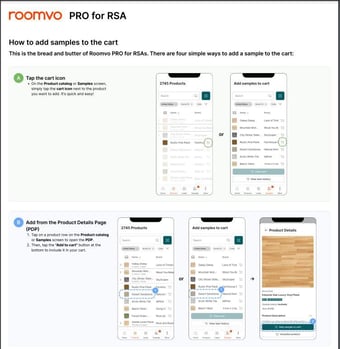
- Quickly access product information to answer all your customers’ questions with fast access to your Product Catalog and Product Details Pages.
- Help customers make more confident decisions by bringing up the Visualizer and showing products in a real room.
Accurately capture leads for more sales
- Prevent lost or incomplete lead information by entering customer details directly into Roomvo PRO
- Save time and continue customer conversations with automated reminder emails, including links to Visualize samples in their rooms.
Know where your samples are at all times
- Increase sample returns by tracking who checked out which sample, and when - and send automated sample return reminders.
- Make sure your most popular samples are in stock by tracking which samples haven’t been returned so you can quickly re-order from suppliers.
- Automatically update sample statuses for your supplier Territory Managers so they can make sure to optimize your showroom displays.
When to use it

As a customer engagement tool
When viewing samples in the showroom, help your customers make faster and more confident decisions by bringing up product details and visualizing products in their space or a real room.
.svg "handshake-light (1)")
As a lead management and sales tool
When talking to customers, capture accurate customer and lead information right away so you can follow-up and keep the conversation going.

As a sample tracking tool
Easily check-out samples, set automated follow-up emails, check-in samples when a customer returns, and know which samples haven't been returned.
How to use it

Browse Catalog
On the left hand-side of the unit you will see the Browse Catalog section. From there users (either yourself or shoppers) can enter the store's full online catalog.
Users can search to find a specific product or browse using the built-in filtering options. After shoppers have found a product match, they can upload a photo of their room or use a pre-set room scene to visualize their chosen product.
Want to see this in action check-out our How to videos.
Scan Samples
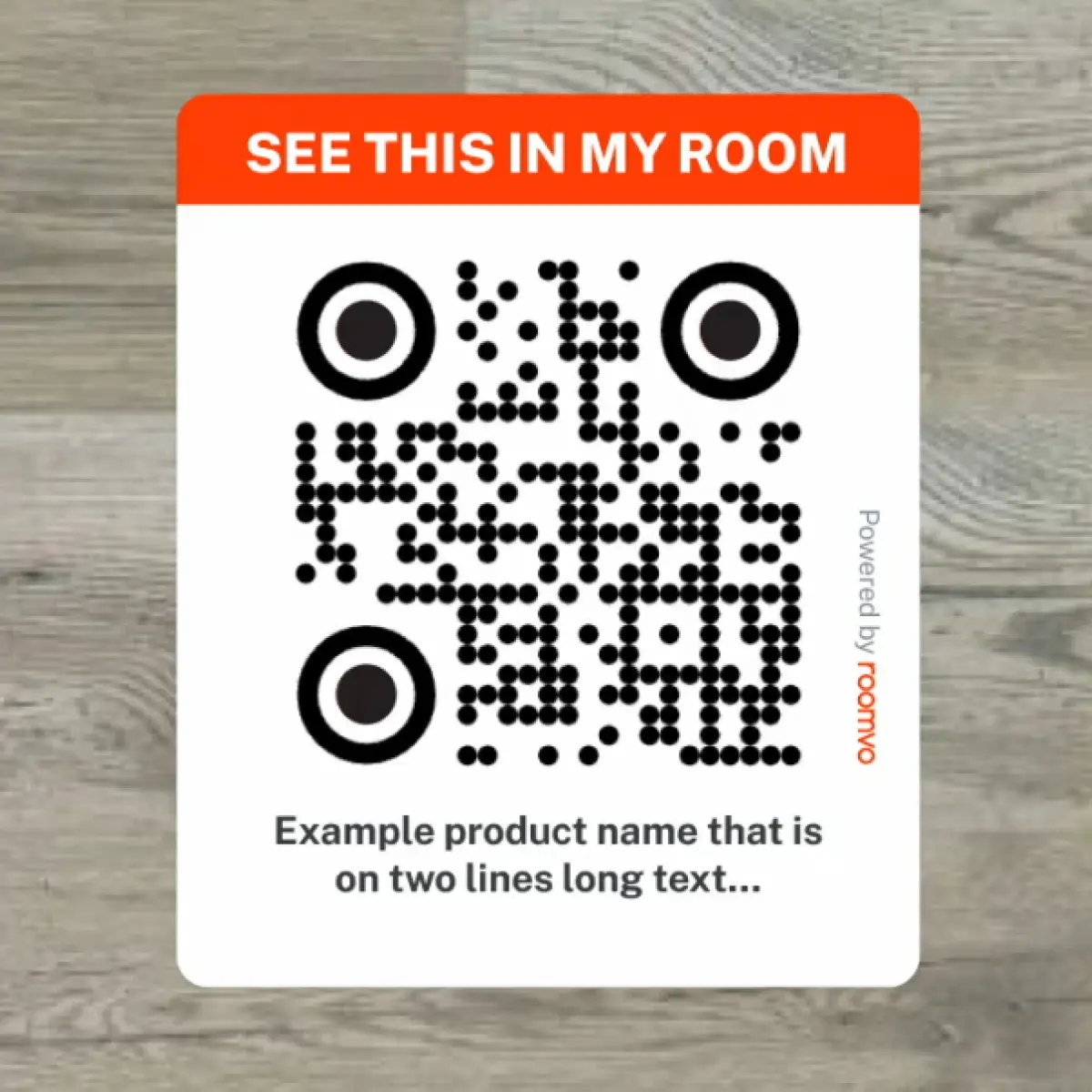
On the right hand-side of the screen you will see the Scan Samples section. Here users (either yourself or shoppers) can scan QR codes that are placed on samples in the store allowing customers to create their own list of curated favorites.
When a user enters this section of the Kiosk, a QR code will immediately appear on the screen. Scanning it with a mobile device enables the device to be used as a scanner throughout the showroom. Grant permission for the device's camera when prompted, or the scanning won't work.
After scanning each QR code, the product is added to the kiosk's favorites list. When all samples are scanned, shoppers can upload a photo of their space or choose one from pre-set rooms.
Want to see this in action check-out our How to videos.
FAQ
How do I get started with the Kiosk?
- Turn the Roomvo Kiosk on and launch the Roomvo Kiosk app from the menu.
- Enter your Roomvo ID (this could be pre-filled if used before).
- The Roomvo Kiosk is now ready to use.
What do I do if I do not have my Roomvo ID?
Email your Roomvo Rep or support+pro@roomvo.com for assistance.
How can I add more products to my Roomvo Kiosk?
Roomvo works with more than 150 of the world’s leading home decor brands. To add brands to your Roomvo Kiosk from our directory, you can do so here. If you don't see a brand that you work with, you can request new suppliers to be added by emailing your Roomvo Rep or support+pro@roomvo.com.
Is Roomvo Kiosk secure?
Yes, the Roomvo Kiosk app doesn’t store data on the device itself, so all customer data will be wiped as soon as “End Session” has been selected.